skate. 0.31.1 Patch Notes (2nd June 2026)
Fingerflips, a reworked camera system, and a much louder open world headline skate.'s 0.31.1 update, which dropped June 2.
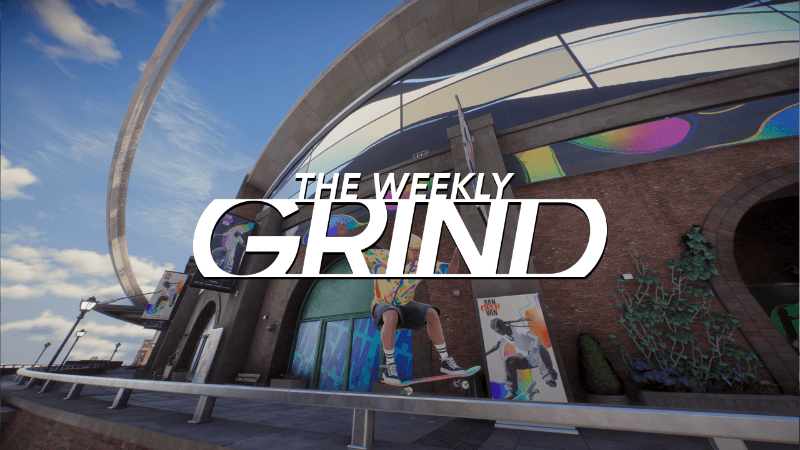
Thirty fingerflip variations, a new camera feel, and pedestrians who actually have things to say, 0.31.1 is a meatier drop than the version number suggests. The update went live June 2 following a maintenance window, and the dev team notes it was originally planned as 0.31.0 before extra bug fixes earned it the bump.
The camera rework is the change I'd point most players toward first. The new Loose setting makes the camera follow your skater's head through turns rather than tracking the board, and the team specifically built the updated steering feel to pair with it. That combination should add real flow to how the game moves, especially if the old Tight camera ever felt like it was fighting you. The 5,000-plus pedestrian voice lines are a quieter addition on paper, but an open world that reacts when you stomp a trick in The Stadium is a noticeably better one.
Elsewhere, grind lock-in reliability has been improved, unstuck detection has been dialled back from its previous hair-trigger sensitivity, and daily task progress now shows directly on the main menu. The Stadium's interior opening as part of Season 4 is also live. Keep an eye on the fingerflip variations, 30 is a serious list to work through.
Full Patch Notes
▲ Buff✓ Fix◆ TweakWelcome to the 0.31.1 patch notes!
The maintenance period for this patch begins on June 2, 9:30 a.m. PDT, and includes bug fixes, new features, gameplay improvements, and more for all platforms. Originally, this patch was going to be released as 0.31.0, but we had the ability to add a few more bug fixes to address pressing issues, so it will now be released as the new and improved patch 0.31.1.
If you haven’t yet, take a look at our Season 4 article to learn more about new skateable areas (The Stadium’s interior is now open), Tricks, Modes, Seasonal Events, brands, soundtracks, and more coming to skate. in Season 4.
General
- Gameplay Density Setting:
- You can now control the amount of other skaters, pedestrians, and vehicles that are simulated and rendered. Higher quantities increase demand on both your CPU and GPU. Find this setting in the Frame Rate section of the Graphics settings tab.
Gameplay
- Fingerflips
- 30 Fingerflip trick variations can now be performed! Visit Skatepedia to learn how to do each one.
- When this setting is set to Loose, the camera follows the skater’s head during turning, flowing with the turn. When set to Tight—which is similar to the camera’s behavior prior to this update—the camera follows the skateboard during turning, making the camera follow much tighter with the turn. This setting is only active while on the ground and not while pushing. Loose is the default setting for Experienced controls. Navigate to the Gameplay tab in the settings and look for Camera Under On-Board Camera to toggle it.
Audio
- Shiny Happy People
- Over 5,000 lines of voiced dialogue have been added for Pedestrians. They're more vocal now, talk on their phones and react to actions you take, like landing a cool trick in The Stadium or becoming annoyed when their vehicles become blocked.
General
- Replay Editor
- You can now cancel out early when exporting a replay.
- The graphical settings UI has been restructured to bring more clarity to how the settings are connected.
- To give you a better PC performance experience, we're continuing to update how we score users Render GPUs and CPUs based on live data. The scoring system slots each card into a more accurate global graphics quality tier. This change could potentially move some players up or down in visual quality, in favor of a better performance experience.
- This setting can now be turned off by navigating to the Gameplay tab in the settings and look for Assists Under Difficulty Settings. This setting is on by default for Streamlined and Classic controls.
Gameplay
- Riding and Steering
- Turning has been improved to give a better feel to skating and bring more flow to steering.
Developer’s Note: We recommend testing out the improved turning with the new Loose Camera Follow Setting, as they were made to compliment each other.
- Session Marker to Lip Mount
- Now, if you save a Session Marker while in a Lip Mount, when you return to your marker, it will also return you to a Lip Mount position you can easily drop in from.
- We cleaned up the scoring callouts for various Ollie variations, including Boned Ollies, One Foots, and FS/BS 180s.
- Unstuck detection has been tweaked.
Developer’s Note: We know this detection was a bit too sensitive before. Overall this should help players to recover naturally after a slam that ends in a tight spot, rather than preferring to reposition the skater to a safe location.
- Straight Fakie Landing, Fakie Coffin, and One Foot Ollie Animations
- The animations of these tricks were cleaned up for a refreshed look and feel.
- Increased default boundary size.
- While increasing or decreasing the size of a boundary the camera zoom level will also adjust accordingly.
- Added the option to automatically start the Throwdown if more than two players are in the queue.
- Upon creating a Throwdown, settings will default to whatever you last used for your previous Throwdown.
- Tasks
- Daily Task progress is now displayed on the Main Menu Hub.
- Up to three Tasks can be Pinned, making them visible on the HUD and in a new tab.
- Streamlined the map with smaller icons when Challenges are completed.
Developer’s Note: In this case, a challenge is still considered completed even if the Co-Op criteria has not been completed.
- Map Neighborhood Panels display Challenge, Mission, and Fast Travel progress.
General
- Fixed various stability issues.
- Fixed various quality issues affecting some cosmetics and character customization options.
- Fixed an issue where some Trophies or Achievements are not registering progress if the requirement was done on Isle of Grom.
- Fixed an issue where Product Boxes were duplicated and an Insufficient funds error displayed when trying to make the purchase.
- Fixed an issue where progress for the Without Footy It's Fiction trophy would get stuck despite meeting the requirements.
- Fixed an issue where players would rarely get stuck in a loading screen when Fast Traveling.
- Fixed an issue where players in a Party were unable to start a Challenge after cancelling a Fast Travel queue.
Gameplay
- Fixed an issue where Reverts would sometimes cause the skater to look in the wrong direction.
- Fixed an issue where automatic Reverts would sometimes over rotate beyond 180 degrees.
- Fixed cases where grinds would sometimes fail to lock in.
- Fixed an issue where Roll Ins would activate unintentionally.
- Fixed an issue where a Roll In would take priority over grinding on a lip.
- Fixed an issue where drop ins would sometimes cause the back truck to get stuck, causing a slam.
- Fixed an issue with input responsiveness when performing a Late Flip.
- Fixed an issue where your skater’s animation would stutter or bail when landing a Hippy Jump while in air.
- Fixed an issue where your skater would lose momentum during a Hippy Jump if you tuck into a ball.
- Fixed various issues with camera stability and behavior.
New Known Issues for Season 4
- Rarely, a black screen appears when starting a challenge or throwdown on PlayStation 4 and Xbox One.
- Workaround: Rebooting skate. may resolve this issue.
- Rebooting skate. results in the Mission progressing to the next step.
- Workaround: Rebooting skate. may resolve this issue.
- Workaround: Only change this setting once in a session
- Workaround:Players will only see the first and last person on the list. To spectate other people, they need to select them one by one in the menu list
Sources
Stay on top of every update — find all the latest patch notes and gaming news at XP Gained. Join our Discord for live patch note alerts and discussion.
Written by
Nathan LeesGaming journalist and founder of XP Gained. Covering patch notes, breaking news, and updates across 160+ games.
Related Posts
skate. 0.31.2 Patch Notes (15th June 2026)
0.31.2 tackles crashes tied to the Pause menu, Skatepedia, and tattoo customization, while moving cars take a 24-hour break.

skate. 0.30.8 Patch Notes (15th May 2026)
A crash bug was locking French and German players out of the ZexyZek Creator Collab event. Update 0.30.8 sorts it.

skate. 0.30.7 Patch Notes (4th May 2026)
A small but focused patch for skate. lands today, targeting audio distortion, trick inconsistencies, and stability.