Total War: Warhammer III Mod Manager Update Notes (28th April 2026)
Creative Assembly has pushed a Mod Manager update focused on performance and usability, with faster load times and cleaner mod ordering for players running large libraries.
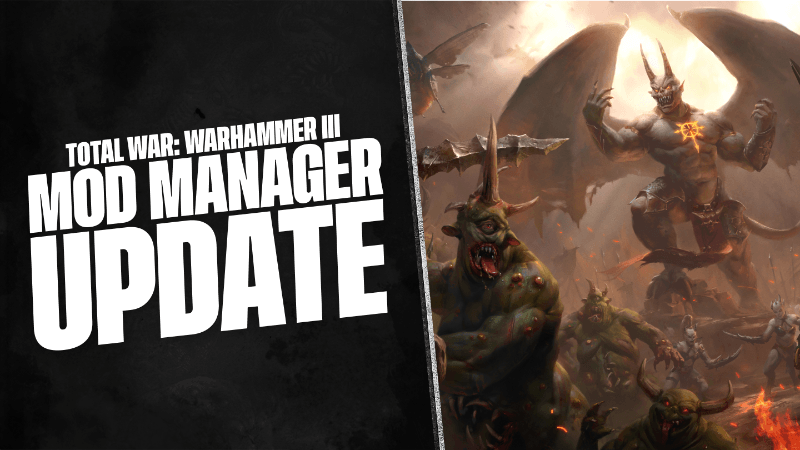
If you're running a mod list that stretches into the hundreds, today's update to the Total War: Warhammer III Mod Manager is going to make your life noticeably better. Creative Assembly pushed the Mod Manager Update today, and while it's not a content patch, it addresses some frustrating quality-of-life issues that the modding community has been bumping into.
The biggest practical wins are startup time and mass mod activation speed, both of which were sluggish for anyone with a large library. Beyond that, the update fixes mod ordering in edge cases where two mods shared the same pack name or checksum, which could cause the UI to behave erratically. Search has also been expanded to match against pack file names and Steam Workshop mod IDs, not just titles. For players managing family accounts or dealing with subscribed mods that had no local version available, there are specific fixes for those scenarios too.
I'll be straight with you: this isn't a headline-grabbing patch, but a well-maintained mod manager is what keeps a game like Warhammer III alive years after release. Keeping that tooling sharp matters. Full patch notes below.
Full Patch Notes
▲ Buff▼ Nerf✓ Fix◆ TweakHey folks,
We’ve just rolled out an update to the Total War: WARHAMMER III Mod Manager, bringing with it several improvements based on player feedback and our internal testing:
- Improved performance for large mod libraries
- Faster mass mod activation, including for users with very large mod lists
- Reduced startup time in cases where hundreds of mods are installed
- Additional performance improvements and general code clean-up
- Improved mod ordering and selection in edge cases
- Improved how mods are ordered and selected in cases where mods share the same pack name and/or checksum. This addresses situations where the UI could previously behave in a confusing way, such as when local modder versions matched subscribed versions.
- Search now matches against:
- Mod title
- Pack file name
- Steam Workshop mod ID
- UI improvements and fixes to mod source, subscription, and version information
- Fixed issues with mod source tooltips in the mod profile table
- Fixed cases where the option to subscribe was not offered for unsubscribed mods
- Updated icons to show whether a mod is subscribed and whether it is up to date
- Made tooltip text clearer and more helpful
- Improved handling of cases where a mod is subscribed but no matching local version is available
- Improved subscription status and “latest version” indication
- Added support for showing correct mod details, such as title and tags, even when a mod is not subscribed or is subscribed by a different user on a family account
- Fixed duplicate installed mod entries for some setups
- Added an arrow symbol to menu items that open URLs in a web browser.
- Fixed mod profile display on startup
- Fixed an issue where the previously used mod profile was not shown immediately on startup until the mouse moved over the window.
- Font and text rendering improvements
- Multiple fixes and improvements to font and text rendering
- Removed remaining dependency on system fonts
- Improved download progress feedback
As always, if you run into any issues while using the mod manager, or if you have any suggestions for improvements, please do share them over in our Mod Manager forum board.
See you on the battlefield!
— Steve
For the latest news and announcements, don't forget to visit our official social channels.Sources
Stay on top of every update — find all the latest patch notes and gaming news at XP Gained. Join our Discord for live patch note alerts and discussion.
Written by
Nathan LeesGaming journalist and founder of XP Gained. Covering patch notes, breaking news, and updates across 160+ games.
Related Posts

Total War: Warhammer III Hotfix 8.1.1 Patch Notes (16th July 2026)
Hotfix 8.1.1 lands today with critical stability fixes and a revert to Shadow Walkers' weapon behaviour following the larger Patch 8.1 rollout.

Total War: Warhammer III Patch 8.1 Notes (9th July 2026)
Patch 8.1 tackles the Campaign AI's habit of clustering armies around settlements, introduces four new Cathay landmarks, and adds two fresh Tiger Warrior technologies.
Total War: Warhammer III Hotfix 8.0.2 Patch Notes (2nd June 2026)
Hotfix 8.0.2 trims Tiger Warrior costs and squashes a handful of Cathay crashes that have been plaguing players since Update 8.0.