s&box 26.07.22 Patch Notes (22nd July 2026)
AnimGraph 2 lands on a separate branch for testing, whilst mapping tools gain loop cuts, pivot control, and material replacement. A smaller week, but one focused on developer feedback.
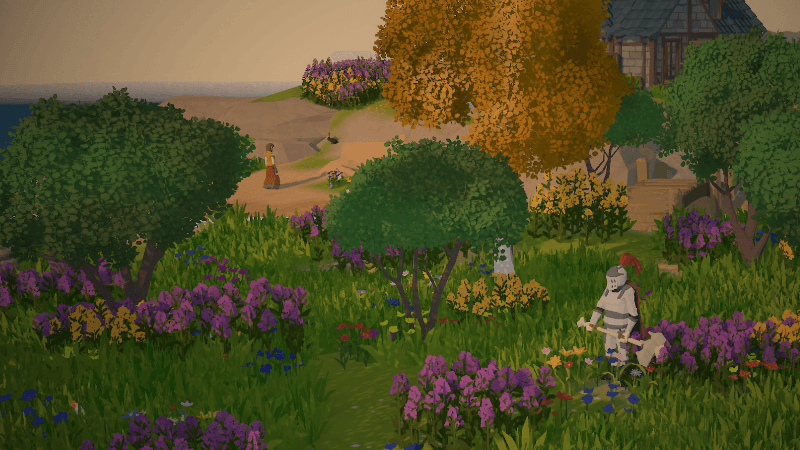
AnimGraph 2 is now live on a separate Steam branch, and the team wants your feedback while it's still in its early stages. This is a significant enough feature that Facepunch is treating it as a public beta rather than a standard update, so if you're keen to shape its direction, switching to the animgraph2 branch is the move.
The mapping tools have had a proper refresh this week. You can now perform full edge-loop cuts with the edge cut tool, extrude edges along other edges for quick trims, and a new find-and-replace utility lets you swap materials across faces in a scene. Object pivots can now be repositioned whilst keeping geometry in place, which saves tedious workarounds. Selection bounds now display edge lengths and vertex distances, giving you better spatial feedback when editing.
Controller support has improved too. SteamInput compatibility is now proper, so you don't have to disable it anymore, and there's a new joystick deadzone setting that lets you move past the hard-coded 12.5% default. The team notes this is a lighter week due to staff at industry events, but AnimGraph 2 feedback is the priority right now. Full changes, including the edge-loop cut implementation and material find-and-replace tool, are below.
Full Patch Notes
▲ Buff◆ TweakA new update has been released, you can view the full changes on our blog post.
https://sbox.game/news/update-26-07-22
AnimGraph 2
We've released the first version of AnimGraph 2 onto a separate branch on Steam this week. We invite developers to try it out and provide feedback in its early stages.
You can get access by switching to the animgraph2 branch.
Set to GameObject Bounds
You can now make Box Colliders instantly fit the bounds of the attached GameObject. This can be done via a button in the inspector or in code :)
Edge Loop Cut
You can now do loop cuts with the edge cut tool.
Selection Bounds Toggle
There is now more information given to you, you can see edge lengths and vertex distance.
Edge Path Extrude
You can now extrude a selected edge along another edge, allowing for quick trims.
Find / Replace Materials
A new utility in the mapping tools, you can find/replace materials on faces in a scene.
SteamInput Compatibility
Ever since we moved to using SDL3 for gamepad inputs, we advised users to turn off SteamInput where possible. This isn't a necessity anymore because controllers should get recognized properly with SteamInput enabled.
Object Pivots
You can now set the pivot of objects. Objects with bounds will keep the bounds in the same place but move the origin.
Custom Code Editors
We don't want to support 50 VS Code forks individually, so the more pragmatic option is allowing you to set your code editor through its executable. You can now do that.
Available tokens for replacement are: {file}, {line}, {column}, {solution}, {project_root}
Joystick Deadzone
We've added a new setting for controller users, the ability to modify the joystick deadzone. Previously it was hard-coded at 12.5%.
Summary
A solid week, if not a little small. A few of our programmers are out at industry events this week so it's to be expected.
Getting AnimGraph 2 out to developers is a big focus right now, so as we've said earlier, hop on the branch, give us feedback, tell us what you love, but especially what you hate about it. We'll probably do this more with big features if it's helpful to us.
See you next week!
Changelog
🎁 Added
- Mapping object selection can move an object's pivot while keeping its geometry in place.
- Scene tabs and docks can now be closed with the middle mouse button.
- Asset categories can now be nested in editor category displays.
- Orthographic X, Y, and Z editor views now display appropriately oriented grids. Thank you @A-PS1999!
- Newly saved materials automatically find matching nearby textures by filename and prefix.
- Box Colliders can be resized to the combined GameObject bounds from the inspector.
- Clicking the selected orientation-gizmo axis again toggles from orthographic to perspective view.
- Props now expose an `OnGibsCreated` callback for accessing and managing generated gibs. Thank you @Tripperful!
- Scene Mapping now includes a streamlined find-and-replace material tool.
- Selected edges can now be extruded along a chosen edge path in the Mapping tools.
- Mapping vertex and edge selections can display their dimensions with a selection-bounds toggle.
- Mapping now supports one-click full edge-loop cuts.
- Shift duplicate nudge to both object modes.
- Ability to use custom code editors.
- Controller joystick deadzone customization.
🧼 Improved
- Mapping clip and mirror planes align more intuitively, display tool shortcuts, and provide more consistent Apply and Cancel behavior.
- Invalid style-property assignments now produce warnings instead of intrusive error popups.
- `AnyOfType` property controls support inline editors and optional dropdown presentation.
- Scatterers generate faster through parallel ground traces, more uniform distribution, and cheaper collider placement.
- Use extended list selection behavior for TreeView.
- Increase subtool icons to 24px for clarity.
- Show DPI scaled resolution in play mode resolution dropdown.
- Engine build time by 15%.
🪛 Fixed
- Blendable materials expose world-mapping dimensions so Mapping tools scale them correctly.
- Frame-buffer and refraction shaders no longer become excessively blurred when viewing model backfaces.
- Fast hotload remains reliable across repeated incremental changes and edits spanning multiple files.
- Sprite Editor widgets correctly fill their docks under the new docking system.
- Mapping face texture scale is preserved when a mesh is reloaded.
- World panels accept configured actions and controller input while the mouse is active. Thank you @Mykol-Word!
- Screen-space shadows no longer error when lights temporarily lack scene objects.
- Gradient editing once again updates live.
- Undoing inspector transform changes no longer deletes Mesh Component geometry.
- Mapping lasso selection starts reliably while dragging and records selection as an undo operation.
- Network proxies using transform sync flags no longer jitter when interpolation encounters locally controlled components. Thank you @deadmonstor!
- Dragging the orientation gizmo orbits around the focused pivot without unexpectedly snapping the camera.
- Gradient point controls no longer disappear when selecting points, presets, or the editor panel. Thank you @AustinDotCodes!
- Reflection cleanup no longer errors when encountering default immutable arrays.
- Sticky popups remain usable in narrow inspector layouts instead of collapsing to a tiny size.
- Editor mouse capture initializes correctly when docks take focus during startup.
- Late-joining clients now receive and display networked Mesh Component geometry. Thank you @deadmonstor!
- Make "Render Backfaces" in glass shader functional.
- Fix editor viewport video recording.
- Fix lag caused by Terrain when in the scene Mapping Tools.
- Fix certain assets not mounting from addon packages.
Sources
Stay on top of every update — find all the latest patch notes and gaming news at XP Gained. Join our Discord for live patch note alerts and discussion.
Written by
Nathan LeesGaming journalist and founder of XP Gained. Covering patch notes, breaking news, and updates across 160+ games.
Related Posts
s&box 26.07.15 Patch Notes (15th July 2026)
Terrain rendering gets a serious overhaul with culling and shading optimisations that halve benchmark times. Talking NPCs, improved vertex painting, and a brand new docking system round out this week's update.
s&box 26.07.08 Patch Notes (8th July 2026)
S&box closes the engine-to-game boundary with native inventory and weapons, overhauls rendering performance with GPU clutter culling, and adds contact shadows for fine shadow detail.
Rust Common Ground Patch Notes (2nd July 2026)
Rust's latest patch brings player-run shops, apartment rentals with scrap upkeep, a clan system with shared maps, and major softcore changes including raid windows and accelerated progression.