Rust Common Ground Patch Notes (2nd July 2026)
Rust's latest patch brings player-run shops, apartment rentals with scrap upkeep, a clan system with shared maps, and major softcore changes including raid windows and accelerated progression.
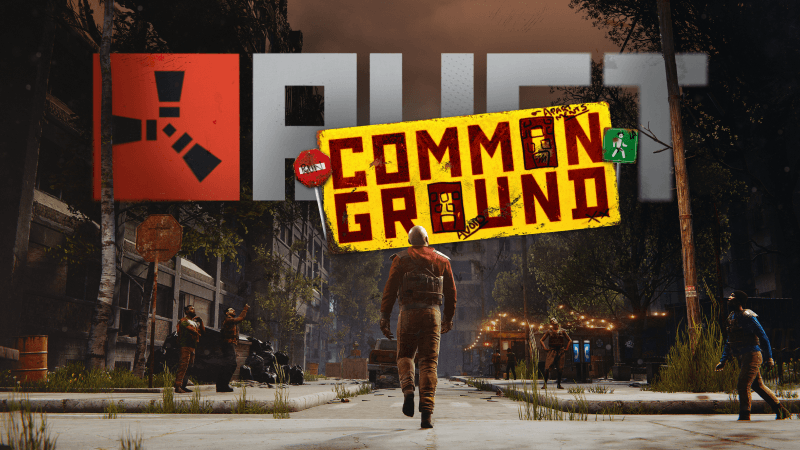
The Common Ground update lands today with a trio of systems designed to reshape how players interact with bases, communities, and the map itself.
The apartment complex monument is the centrepiece. New players can rent rooms from a receptionist, paying scrap upkeep to avoid eviction. Rooms range from basement to penthouse, each offering different storage and crafting perks. The real friction point here is the master key hidden somewhere on the island, which unlocks any occupied room for 5 minutes, turning your rental into a potential target. Player-run shops sit in the building's marketplace, requiring upfront scrap and hourly rent to operate. If a shop changes hands after 6 hours, the cost multiplier doubles, then triples, creating an escalating arms race for commercial real estate.
Clans arrive as a more structured alternative to teams, with separate chat channels, shared nearby-player maps, and role-based permissions. They're disabled in hardcore mode but reshape how organised groups coordinate.
Softcore gets overhauled too. Resource gathering doubles, and raids now only happen between 6 PM and 9 PM (server local time). Outside those windows, Tool Cupboards block damage to structures entirely, though deployables remain vulnerable. The full list, including new sprinting animations for rifles and the 27-piece Glowing Wallpaper Pack, is below.
Full Patch Notes
▲ Buff◆ TweakAPARTMENT COMPLEX
The apartment complex is a new monument that allows players getting started with a wipe to find a place to call home. Simply talk to the receptionist in the lobby to get started and rent a room.
There are options for every budget, from the basement to the penthouse. Different room types come with different perks, like more storage, furnaces and more.
Once you've rented a room you'll need to insert scrap into the slot next to your door, otherwise you'll be evicted and all of your possessions will be seized.
There is a master key available somewhere on the island - find it and you can unlock access to any occupied room in the apartments for 5 minutes.
Need a hint as to what room to burgle? There might be a guard in the basement who has more information.
RENTABLE SHOPS
The new apartment complex monument features a small marketplace of shops. Each shop can be purchased and run by players, allowing you to sell your wares to the residents of the apartment building.
To get started, simply approach the shop and interact with the contract hanging out front, and you'll get a breakdown of how much it costs. This includes a non-refundable upfront scrap fee as well as a per-hour (real-time) scrap cost. You will need at least 12 hours of rent available to open the store.
Once open, you can modify the sale listings and adjust stock levels like any other Vending Machine. These shops cannot be accessed by drone, but you can modify the sign above the shop to add some personal flair.
All of the shops already taken? After a shop has been open for 6 hours, you may take it over, but you will pay x2 on both the upfront scrap cost and per-hour rent. This will continue to escalate (3x, 4x, etc) if someone else takes over the shop after 6 hours until eventually someone runs out of rent and the shop (and cost multiplier) resets.
If a shop is taken over or closes and it has your belongings in its inventory, you may return to the shop to retrieve them. Just interact with the shop to pick up your items. These items will only last 24 hours though, so be quick!
Be warned, the master key can also be used on these stores so your items could be stolen if you try and store valuable goods.
SOFTCORE UPDATES
We've made some new changes to the Softcore game mode.
Accelerated Progression
There's now a 2x multiplier on resource gather amounts. This works pretty much as you'd be used to on modded servers, giving you extra ore, wood, food and animal loot.
Raid Windows
It's hard to handle raids for more casual players. To combat this, we've created pre-defined time windows where you are allowed to raid each other. By default, raids can only happen between the hours of 6 PM - 9 PM. This is set via your server's local time, so it's the same time zone for everyone. E.g. 6 PM local time no matter where you are. During a Raid Window, everything is fair game, it's regular rust.
Outside of those times, Tool Cupboards 'project' the raid blocking system, so you need to be inside a TC radius to be protected outside of the window. During this time, building blocks and doors cannot be raided: walls, floors, roofs, doors, ladder hatches, etc. Deployables can still be attacked, as can a Tool Cupboard (if it's lying unprotected).
A Tool Cupboard must be at least 1 hour old to be able to block raids. This means a young TC can be raided regardless of whether the raid window is on or not. Helping prevent misuse of the system.
Server Owners have been given a bunch of ConVars to tweak this.
CLAN TABLE
Clans are a more advanced version of teams where you can have more members with different roles/permissions. There is a separate clan chat channel and announcement/MoTD text for communicating with clan members.
Clans can be created and managed at Clan Tables.
You can now see clan names on player nameplates. You'll also see your clan members' locations on the map if they're nearby.
The clan system is disabled in hardcore mode.
PLAYER ANIMATION - SPRINTING WITH RIFLES
As mentioned last month, we're starting to use a new set of animation tools to improve the player animator. This month we're rolling out new sprinting animations while holding most two handed projectile weapons/rifles.
The player now pops their right arm up and lets the sprinting animation take over the rest of the body, looking much more responsive and less robotic.
PLAYER ANIMATION -ONE HANDED MELEE WEAPONS
We've extended last month's Torch animation system to support one handed melee weapons. We're just testing this out on the vanilla Hatchet for now, but once we're happy with the results we'll roll this out to other melee weapons. This allows for nicer movement while holding a weapon while still allowing two handed animations like throwing to play as expected.
GLOWING WALLPAPER PACK
This month, we’re introducing the Glowing Wallpaper Pack.
Brighten up your base with this collection of 27 wall, floor, and ceiling wallpapers. Featuring luminous neon, glowing graffiti, foxfire fungi, and more. Whether you’re building the coziest crib or an industrial powerhouse, this pack has something for everyone.
These wallpapers look great in the day, but are even more special when the lights go out.
Included in the Glowing Wallpaper Pack:
Walls
- Stars And Planets
- Mushrooms
- Firearms
- Explosions
- Graffiti Murals (3 variants)
- Neon Shapes (3 variants)
- Foxfire Fungi
Ceilings
- Glow In The Dark Stars
- Fireflies
- Graffiti Murals (4 variants)
- Foxfire Fungi
Floors
- Directional Graffiti (6 variants)
- Glow In The Dark Carpet (3 variants)
The Glowing Wallpaper Pack can be purchased in-game or from the Rust Steam item store
USEPLAYERJOBS CHANGES
Jobs 3 is now default, Jobs 2 to be removed
This month we've added a couple more changes/improvements to Jobs 3 code and we've had the it active on our servers for half of the month and things looked stable. We've also done a bit of a rewrite how we pass around server player state, which will force server mods to update their code as well. This makes it the perfect time for us to promote it to default, as it would enable us to clean up a bit more code and simplify things.
This means Jobs 2 mode will become deprecated and will be removed in August - one will still be able to set it to 2, but it will run mode 3 underneath.
As Jobs 3 has been modified over multiple months, here's the full list of improvements that comes with it:
- Use of UniTask library to avoid allocations from multithreading code
- Speeds up per frame player snapshot sending by using new fuzzy pool and removing buffer preallocation
- Runs portions of player network subscription updates in parallel
- Schedules EAC and Analytics tasks earlier to avoid main thread waiting on them
- Parallelized remaining server Anti Hack logic
New Jobs 4 level
We've also started to explore Jobs 4 optimizations - our first contribution to it is parallelization of server occlusion pair gathering. We're also going to be looking what kind of more risky or breaking changes to make, so it'll likely be a couple months before Jobs 4 will have enough substance to ship it.
NOTABLE CHANGES
Picked Skin Grey Out
Picked Skin is now Greyed Out
Auto Sorted
Vending machines and fridges now support storage adaptor auto-sorting
Inventory Player Model
Player model quality now changes within the inventory to yield better performance
Footstep Frequency
Adjusted the footstep frequency to be closer to the old player rig
BEARS FOR A BETTER WORLD - CHARITY 2026
Get ready to cuddle up with a bear that’s not only adorable but also changing lives!
Starting July 2nd, Rust will host a massive charity drive to raise money for two incredible causes: Cancer Research UK and Ronald McDonald House UK.
Rust is also partnering with some of the biggest names in the Rust community! Throughout the drive, partnered creators will be hosting their own fundraising streams, with free Twitch Drops to also help raise awareness of the charities and allow players to show even more support.
We even have a Charity Auction! Want a signed Displate poster? Or to design your own Rust Skin? Go check it out!
100% of sale proceeds after Steam fees and tax from the sale of these charity bears will be donated, helping support Cancer Research UK's critical work in funding cancer research and saving lives, and also supporting Ronald McDonald House UK to provide free accommodation and support to families with children in hospital. Every purchase will make a difference.
These one-of-a-kind charity bears are available through Rust’s in-game item store, and players can choose from two cute, quirky, and (actually) glowing but true-to-Rust designs which represent your contribution to supporting families in need and funding groundbreaking cancer research. Every bear purchased is a symbol of the community coming together to create a lasting impact beyond the game.
Starting July 2nd, players can purchase these bears, but the clock is ticking as they are only available for a limited time.
Whether you’re surviving the wilds of Rust or just want to spread some good vibes in your base, these bears are a perfect way to help others while you play.
Charity Bear Plushies can be bought here!
You can donate directly to the charities through Rust's drive here.
And you can see creators and drive progress here.
Twitch Drops!
Also starting July 2nd - we will have 5 drops you can earn watching any Rust stream on Twitch!
Over the course of the next few weeks you can help unlock more drops as we meet donation goal milestones!
Sync your Steam and Twitch accounts to claim your drops!
If you're a content creator or a community group and you want to help fundraise with us you can make your own Tiltify team here! Just select the Quick start option and publish your team page! Your teams progress will go towards the main campaign.
DEMO COMPATIBILITY LAYER
Every Rust update has the ability to break older demos. On our end its incredibly simple to do so, more than it should be. To this end: I've introduced a compatibility layer into the demo system. This layer will try and get old demos working on your new Rust version.
When opening an old demo you will be asked if you want to use the compatibility layer (should it be applicable). When enabled the layer will attempt to remap changed item names to what they used to be in order to get the demo to run. It's important to note that this is only likely to work provided the demo has been taken within the last few months, the older it is, the less likely it is to work.
The one catch is that this system wont work for demos taken on older Rust builds than now. Eg: this layer only works for demos taken from now onwards. Demos taken on older builds of rust don't have the information required to be able to turn on this layer
NEW WORKSHOP SKINNABLE: METAL SHOP FRONT
This month’s workshop skinnable is the Metal Shopfront.
Supporting customisation on both the front and back, you can finally sell your collection of severed wolf heads on brand. We’re looking forward to seeing some incredible submissions by the community.
To make your own Metal Shopfront skin, head over to the in-game workshop and locate the Metal Shopfront deployable item. From there, you can download the model file and add your own materials.
RUST X CAN BE - BACKPACK AND WEAPON CHARMS
The Rust x Can Be backpack will begin shipping this month.
Every backpack purchase includes exclusive free in-game weapon charms.
What are Weapon charms?
Weapon Charms are fun cosmetic weapon accessories that can be attached to almost any ranged weapon. There are over 55 ranged weapons that currently support Charms with more to be added as we continue to develop Rust.
To add a charm to your ranged weapon simply open up the inventory, select the weapon and use the Change Accessory button to select from available charms. You can set the charm during the crafting phase, or when dropped into a repair bench. There is no crafting cost. You can even do this with looted ranged weapons that have charms already affixed. The selected charm is tied to the individual weapon, so if you pick up someone else's weapon with a charm attached it will still be there unless you remove or change it.
Weapon Charms are viewable both in first and third person, so other players will be able to see your selected accessory.
Check out the full collection over on the Can Be store.
RUST X MAN AT ARMS - IRL AUTO TURRET
We've teamed up with the talented ASH Entertainment and The Baltimore Knife & Sword Crew behind the YouTube series, Man at Arms, to bring to life one of Rust's most iconic items: the Auto Turret.
The team of expert fabricators and blacksmiths set out to recreate a 1:1 replication of the infamous base and safezone protecting Turret, with auto-tracking and a bespoke gun slot with firing mechanisms!
This custom, one-of-a-kind build was exclusively created for Facepunch.
Check out the full build over on the Man at Arms channel now.
DISCORD ORBS
Purchase official Rust items in the Discord Shop and earn Discord Orbs.
Orbs can be used on eligible items in the Discord Shop. Offer ends 16th July!
Sources
Stay on top of every update — find all the latest patch notes and gaming news at XP Gained. Join our Discord for live patch note alerts and discussion.
Written by
Nathan LeesGaming journalist and founder of XP Gained. Covering patch notes, breaking news, and updates across 160+ games.
Related Posts
s&box 26.07.22 Patch Notes (22nd July 2026)
AnimGraph 2 lands on a separate branch for testing, whilst mapping tools gain loop cuts, pivot control, and material replacement. A smaller week, but one focused on developer feedback.
s&box 26.07.15 Patch Notes (15th July 2026)
Terrain rendering gets a serious overhaul with culling and shading optimisations that halve benchmark times. Talking NPCs, improved vertex painting, and a brand new docking system round out this week's update.

s&box 26.07.08 Patch Notes (8th July 2026)
S&box closes the engine-to-game boundary with native inventory and weapons, overhauls rendering performance with GPU clutter culling, and adds contact shadows for fine shadow detail.